Azure APIM v2 vs Classic: What Changed and What Breaks
In this article
- What Actually Changed
- The Networking Model Changed Materially
- Features That Are Missing or Different
- Migration Blockers Most Teams Miss
- What Breaks in Terraform
- A Practical Migration Approach
- 1. Inventory and Impact Assessment
- 2. Parallel Deployment
- 3. Traffic Cutover
- 4. Update Your IaC
- Common Pitfalls We See
- Quick Decision Guide
- Should You Migrate Now?
- The Bottom Line
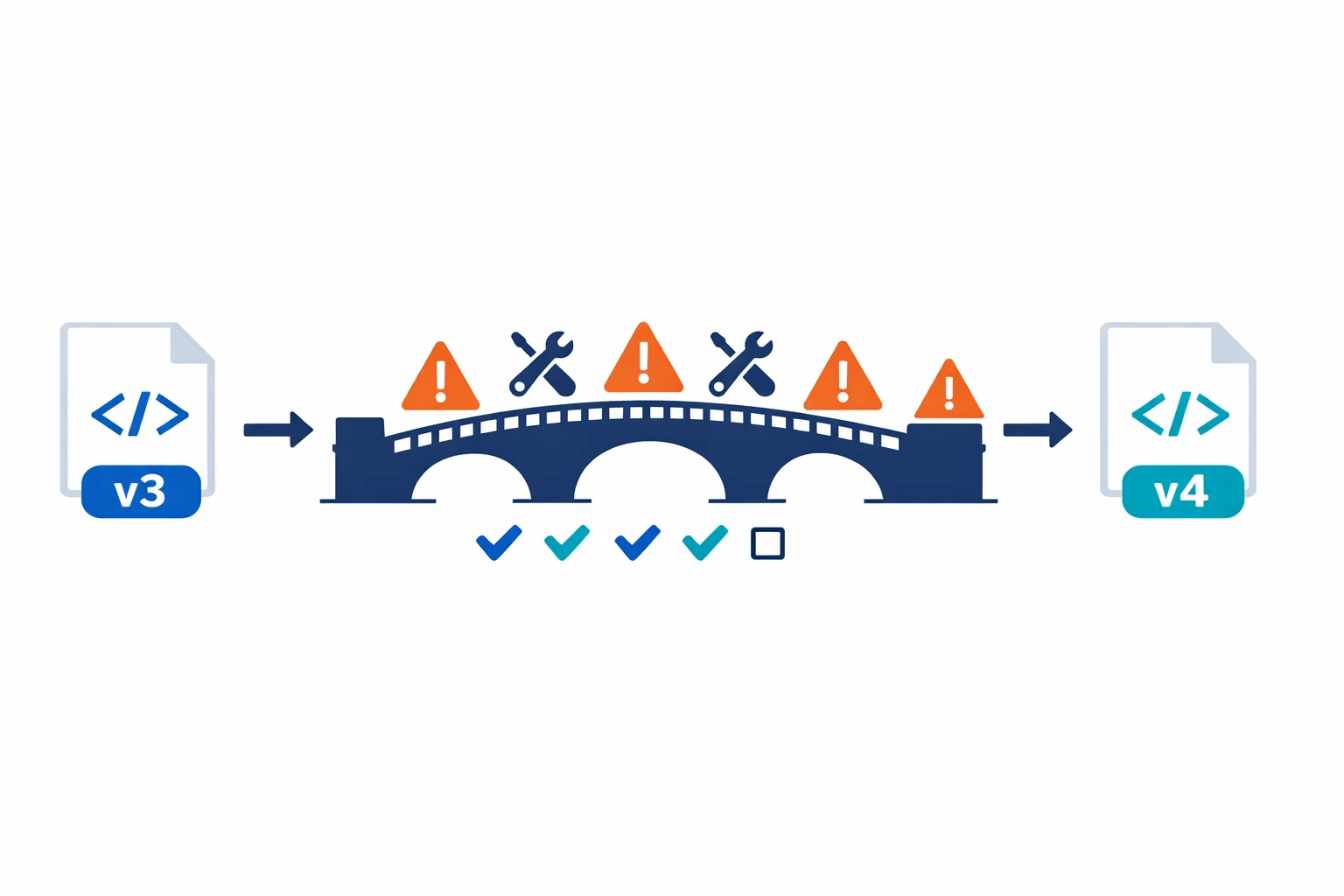
In short: Microsoft is moving Azure API Management to a new platform, and the StandardV2, BasicV2, and Premium v2 tiers ship faster deployments and a cleaner networking model. None of that is in-place: classic to v2 is a parallel deployment with breaking changes in networking, features, and the Terraform resource shape. This post walks through what actually changed, the feature gaps most teams miss, the Terraform gotchas, a phased migration approach, and a decision guide for picking the right tier per workload pattern.
If you manage APIs on Azure, you have probably seen the writing on the wall. Microsoft is moving API Management to a new platform, and Microsoft is investing heavily in v2, while classic tiers remain supported for now. The new StandardV2 and BasicV2 tiers promise faster provisioning, better scaling, and a simplified networking model.
That all sounds great on paper. In practice, the migration from classic to v2 isn’t a simple SKU swap. You cannot migrate an existing classic instance to v2 in-place; you need to deploy a new v2 instance and move your configuration over. There are meaningful differences in networking, feature availability, and Terraform resource behaviour that can break your infrastructure if you aren’t prepared.
Note: Microsoft also released a Premium v2 tier (now GA), which adds VNet injection, availability zones, workspaces, and scaling up to 30 units. If you need VNet injection (not just VNet integration), Premium v2 is your path forward. One important caveat: VNet injection in Premium v2 is currently create-time only. You cannot switch between injection and integration after deployment, so this is a decision you make at provisioning time.
We have worked through v2 migrations with clients. Here is what we learned.
What Actually Changed
The v2 tiers aren’t just a pricing refresh. Microsoft rebuilt the underlying compute platform. A StandardV2 instance deploys in minutes instead of the 30-45 minutes you are used to with classic Premium. Scale units are gone, replaced by a more granular capacity model. VNet integration replaces the old VNet injection approach. Availability zone support remains a Premium-tier feature (classic Premium and Premium v2 only); StandardV2 does not include AZ support.
Genuine improvements across the board. But the details matter.
Azure docs: APIM v2 tier overview · Compare APIM tiers
The Networking Model Changed Materially
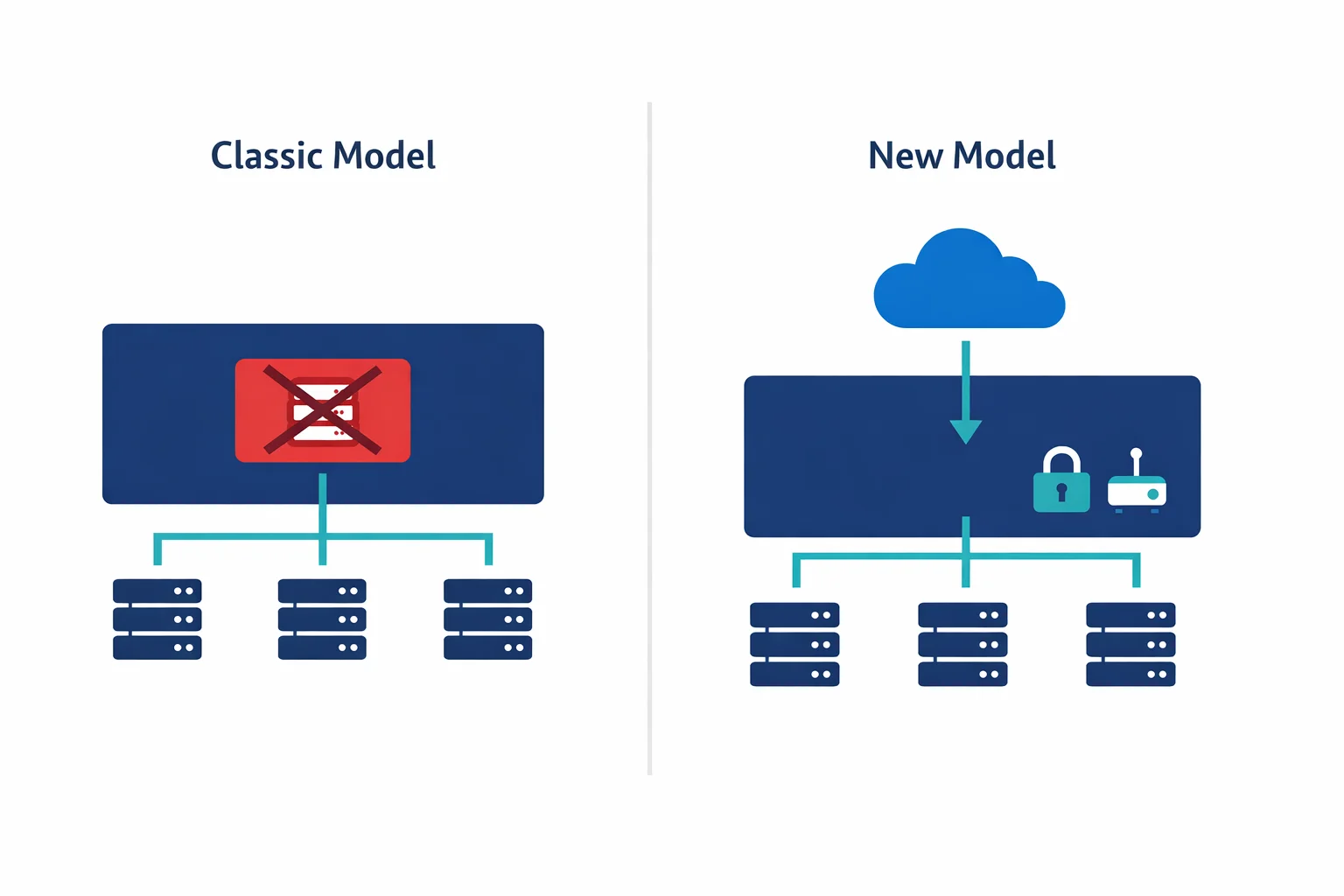
Most teams get tripped up here. Classic Premium APIM supported VNet injection: the APIM instance got a NIC in your VNet subnet, with a private IP, and you could control traffic with NSGs and route tables just like any other Azure resource.
StandardV2 drops VNet injection entirely. Instead, it uses VNet integration, conceptually closer to how App Service VNet integration works. In practice, that means your APIM gets a path into your private network for backend calls, but the gateway itself remains publicly accessible unless you put it behind a Private Endpoint. Note that Private Endpoint on APIM only supports inbound traffic to the Gateway endpoint; it does not cover self-hosted gateways or workspace gateways. Premium v2 brings back simplified VNet injection for full network isolation, but at a higher price point than StandardV2.
With classic VNet injection in internal mode, your APIM got a private IP on your VNet for free. StandardV2 plus an inbound Private Endpoint can provide private inbound access, and together with outbound VNet integration can support end-to-end private client/backend flows. But it is a different deployment model from classic internal VNet injection, with different networking behaviour and operational characteristics.
One important design warning to set straight: outbound VNet integration does not privatize APIM itself. On StandardV2 and Premium v2 with outbound VNet integration, the gateway, management plane, and developer portal remain internet-reachable unless you separately constrain them with an inbound Private Endpoint and disable public network access. Many teams mentally map “VNet integration” to “private APIM.” It is not.
Subnet requirements changed too, and this is where teams most commonly misconfigure v2. Standard v2 outbound VNet integration requires a delegated subnet with delegation to Microsoft.Web/serverFarms. Premium v2 VNet injection uses a different delegated subnet requirement: Microsoft.Web/hostingEnvironments. Don’t copy classic APIM subnet assumptions (Microsoft.ApiManagement/service) into v2; the delegations are different, and the subnet sizing requirements also differ. The required NSG rules for v2 subnets differ from classic as well, so copying your existing NSG rules will break things.
If you run APIM in internal mode behind an Application Gateway (a very common pattern), expect to redesign the network path entirely.
Azure docs: VNet integration for APIM v2 · Private Endpoints for APIM · VNet reference (NSG rules)
Features That Are Missing or Different
The official feature comparison is the authoritative source. Here is a simplified view of the features that matter most for migration decisions:
| Feature | Classic Developer | Classic Premium | BasicV2 | StandardV2 | Premium v2 |
|---|---|---|---|---|---|
| Production SLA | No | Yes | Yes | Yes | Yes |
| VNet injection | Yes | Yes | No | No | Yes (create-time only) |
| Outbound VNet integration | No | No | No | Yes | Yes |
| Inbound Private Endpoint | Yes | Yes | No | Yes | Yes |
| Multi-region | No | Yes | No | No | No |
| Self-hosted gateway | Yes (1 node) | Yes | No | No | No |
| Availability zones | No | Yes | No | No | Yes |
| Workspaces | No | No | Yes | Yes | Yes |
| Backup and restore | Yes | Yes | No | No | No |
| Capacity model | 1 unit (fixed) | Scale units (up to 12) | Units (up to 5) | Units (up to 10) | Units (up to 30) |
| Deployment time | 30-45 min | 30-45 min | 5-10 min | 5-10 min | 5-10 min |
Key observations from this matrix:
Classic Premium is still the only tier with multi-region deployment. If you need multi-region today, there is no v2 alternative yet.
Classic Developer is the cheapest tier with VNet injection. For non-production environments that need internal-mode APIM inside a VNet, it remains a valid choice despite having no SLA.
BasicV2 has the fewest networking features of any v2 tier: no VNet injection, no VNet integration, and no inbound Private Endpoint. Teams that assume BasicV2 can replace classic Developer for secure dev/test will find it cannot if private networking is required.
There is no Developer v2 tier. Only Basic v2, Standard v2, and Premium v2 exist in the v2 lineup. That creates a gap many teams don’t notice until they plan a non-production migration: classic Developer is the cheapest tier with VNet injection (good for internal-mode dev/test environments without an SLA), but nothing in v2 matches that price point with any VNet feature at all. BasicV2 removes all VNet capabilities; StandardV2 is the cheapest v2 tier that supports even outbound VNet integration or an inbound Private Endpoint, and it is materially more expensive than classic Developer. If your non-production pattern depends on cheap internal-mode APIM inside a VNet, classic Developer remains the only rational choice today.
StandardV2 gives you outbound VNet integration and inbound Private Endpoint, but the gateway, management plane, and developer portal remain publicly accessible unless you configure Private Endpoint and then disable public network access. It is a different deployment model from classic internal mode.
Premium v2 brings back VNet injection, but with a create-time constraint: you choose injection or integration at provisioning and cannot switch afterwards. It also does not yet support multi-region or self-hosted gateway.
Pricing varies by region and currency. V2 tiers also include bundled API request volumes with overage pricing and scale-out unit costs, so the base SKU price is not the full picture. Total solution cost should include surrounding networking components (Private Endpoint, private DNS, Application Gateway or Front Door, and firewall depending on your pattern).
Migration Blockers Most Teams Miss
The feature matrix above covers the big-ticket items. These are the smaller gaps that regularly surface late in migration planning:
| Blocker | What it means |
|---|---|
| Multiple custom gateway domain names | V2 tiers do not support multiple custom domains on the gateway endpoint. If you publish APIs on several branded hostnames today, that pattern does not carry over. |
| Custom domain must be publicly resolvable | On Standard v2 and Premium v2, a custom gateway domain must currently be publicly resolvable, even when you use inbound private patterns. Pure private-DNS-only custom domains don’t work; Application Gateway in front of APIM is the common workaround. |
| Backup and restore | No native APIM backup/restore on v2. Configuration recovery relies on your IaC and export tooling. |
| Git-based service configuration | The Git configuration endpoint is not available on v2. |
| Direct Management API access | Not available on v2. |
| Multi-region deployment | Neither StandardV2 nor Premium v2 supports multi-region today. Classic Premium remains the only option. |
| Self-hosted gateway | Not available on BasicV2, StandardV2, or Premium v2. |
| Private Link on v2 | Inbound private endpoint covers the Gateway endpoint only, not self-hosted gateways or workspace gateways. You can only disable public network access after the Private Endpoint is configured. |
| Resource move and send-to-Event-Grid | Currently unavailable on v2. |
Check the official feature comparison before planning your migration. Microsoft is closing gaps regularly, but your timeline might not align with theirs.
Azure docs: Feature comparison across tiers · APIM migration guide
What Breaks in Terraform
If you manage APIM with Terraform (and you should), the v2 migration introduces several changes to the azurerm_api_management resource:
# Classic Premium with VNet injection
resource "azurerm_api_management" "classic" {
  name                = "apim-contoso-prd"
  location            = azurerm_resource_group.rg.location
  resource_group_name = azurerm_resource_group.rg.name
  publisher_name      = "Contoso"
  publisher_email     = "api@contoso.com"
  sku_name            = "Premium_1"

  virtual_network_type = "Internal"

  virtual_network_configuration {
    subnet_id = azurerm_subnet.apim.id
  }
}

# StandardV2 with VNet integration + Private Endpoint
resource "azurerm_api_management" "v2" {
  name                = "apim-contoso-prd"
  location            = azurerm_resource_group.rg.location
  resource_group_name = azurerm_resource_group.rg.name
  publisher_name      = "Contoso"
  publisher_email     = "api@contoso.com"
  sku_name            = "StandardV2_1"

  virtual_network_type = "None"  # VNet integration is separate

  # VNet integration handled via subnet delegation
  # Private Endpoint handled via azurerm_private_endpoint
}
Watch for several Terraform gotchas here.
First, the sku_name format changed: Premium_1 becomes StandardV2_1, and the capacity number works differently. Second, the virtual_network_type and virtual_network_configuration blocks no longer apply for v2 networking. VNet integration is configured differently, and inbound private access requires a separate azurerm_private_endpoint resource. Third, you cannot change sku_name from Premium_1 to StandardV2_1 on an existing resource. Terraform treats it as a destroy-and-recreate, so you need a migration strategy with parallel deployment. Finally, the v2 subnet delegation differs from classic: Standard v2 outbound VNet integration needs Microsoft.Web/serverFarms delegation on your azurerm_subnet, while Premium v2 VNet injection needs Microsoft.Web/hostingEnvironments. Neither is Microsoft.ApiManagement/service (that’s the classic pattern).
If you use Terraform modules for APIM, expect to refactor them significantly. The resource inputs look similar enough to seem compatible but differ enough to fail in surprising ways.
Azure docs: Migrate to APIM v2 platform · Terraform azurerm_api_management
A Practical Migration Approach
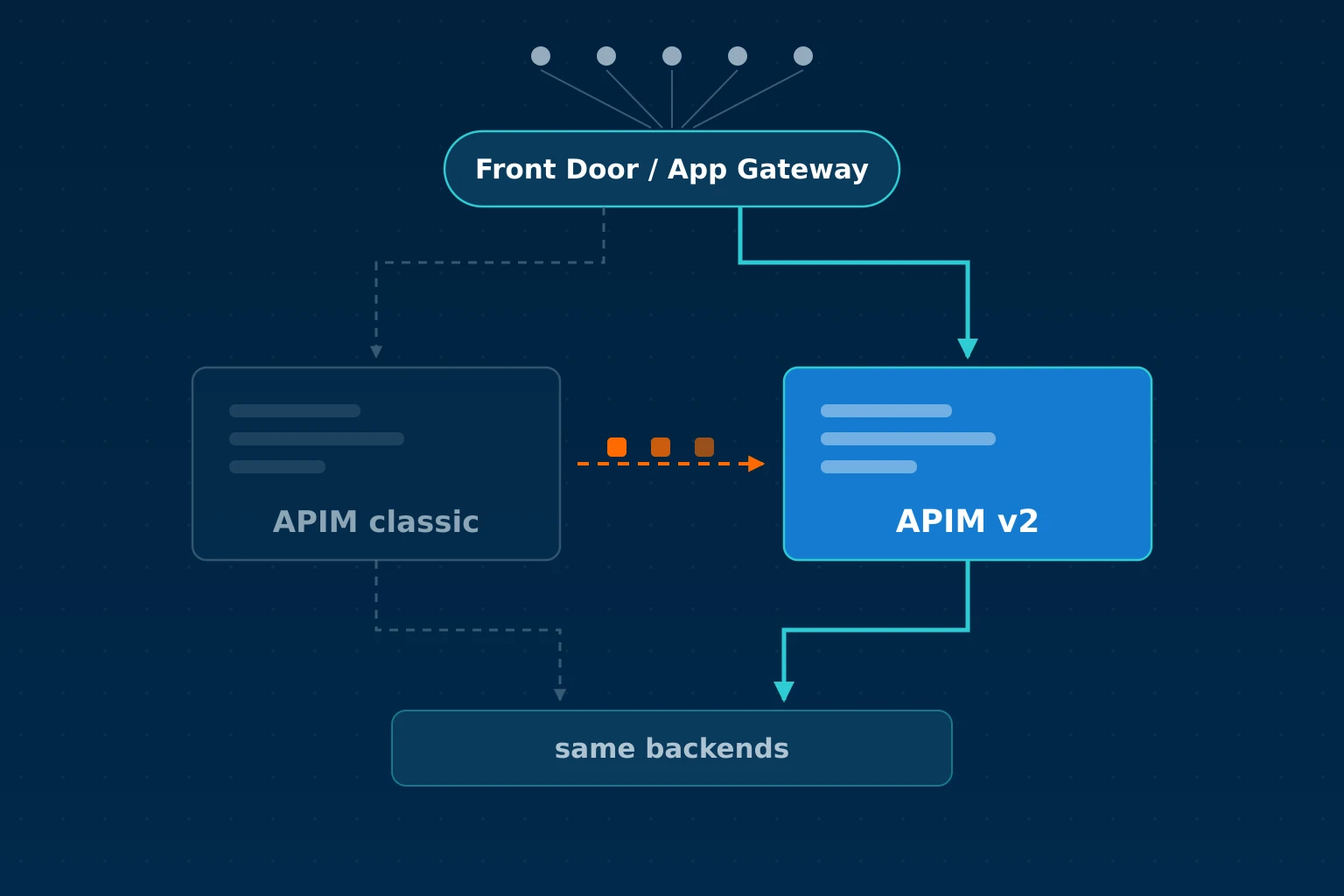
Microsoft does not support in-place migration from classic to v2 tiers. You have to deploy a new v2 instance and move your APIs, policies, and backends over. Here is an approach that works:
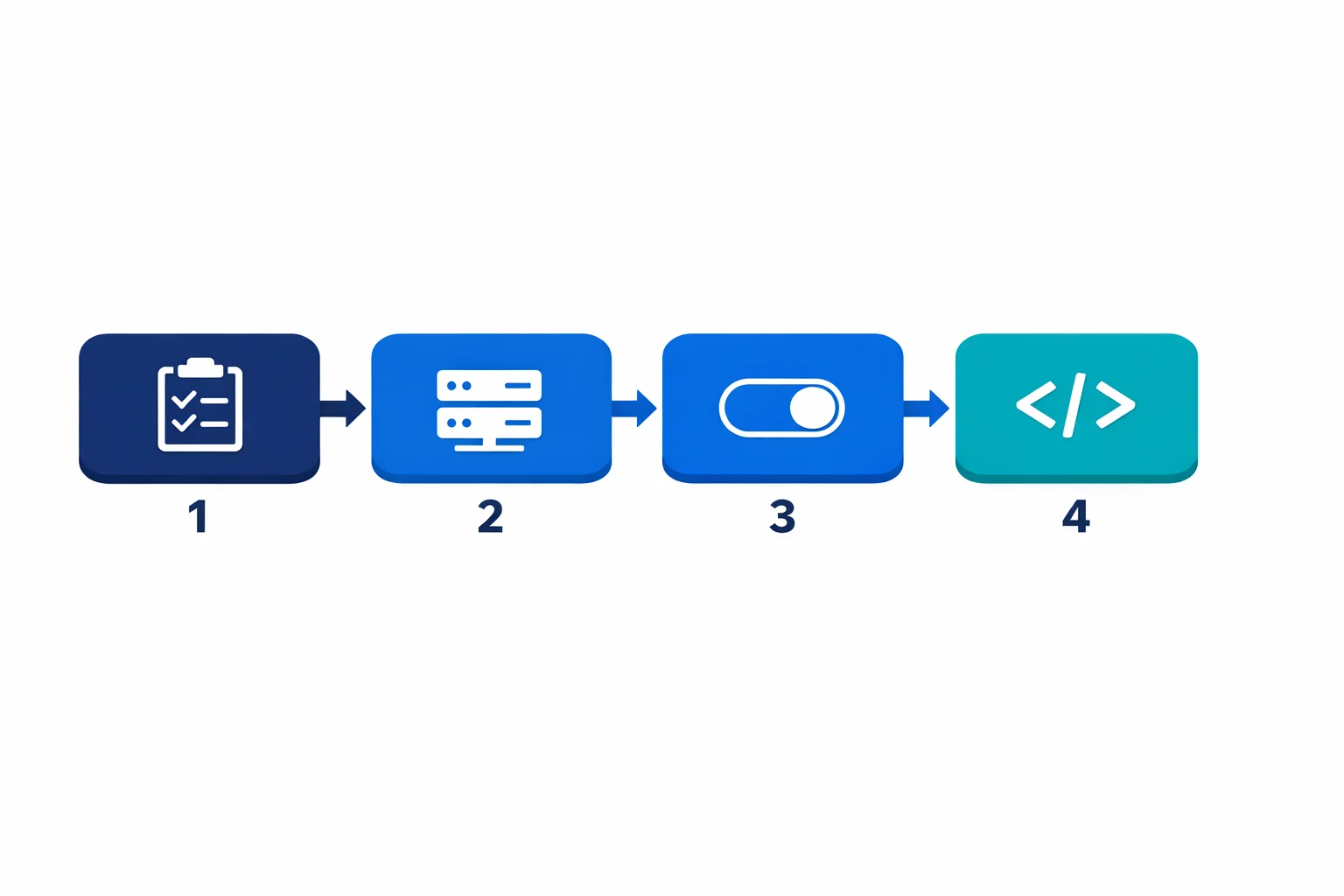
1. Inventory and Impact Assessment
Before touching infrastructure, document all your APIs and their backends, paying special attention to which backends live in private VNets (those are the ones affected by the networking change). Map out your current networking topology: VNet injection mode (internal/external), Application Gateway frontends, DNS configuration. Identify all APIM-related resources in your Terraform state and their dependencies. And figure out who calls your APIs and what changes they will see during migration.
2. Parallel Deployment
Don’t attempt an in-place migration. Deploy a new v2 instance alongside the classic one:
- Deploy StandardV2 with VNet integration and Private Endpoint
- Configure the same APIs, policies, and backends on the v2 instance
- Use Terraform, ARM/Bicep export, or Azure API Center to replicate configuration (note: the older APIM DevOps Resource Kit was archived by Microsoft in Feb 2024)
- Test thoroughly with private backend connectivity
- Watch out for OpenAPI schema imports that reference internal URLs. Azure’s management plane (not your APIM instance) fetches those, and internal-only hostnames will fail with an unhelpful 400 ValidationError. The inline
openapi+jsonformat avoids the problem entirely; see the schema import gotcha writeup for the full story.
3. Traffic Cutover
Once the v2 instance is validated:
- Update DNS records or Application Gateway backend pools to point to the v2 instance
- Keep the classic instance running in parallel for rollback
- Monitor error rates and latency for 48-72 hours
- Decommission the classic instance only after validation
4. Update Your IaC
After cutover, update your Terraform to reflect the new resource structure. Remove the classic resource definition, add Private Endpoint resources, update subnet configurations.
Common Pitfalls We See
DNS resolution inside the VNet catches people first. With classic internal mode, APIM’s private IP was in your VNet and DNS just worked. With v2 and Private Endpoint, you need Private DNS zones configured correctly for azure-api.net resolution. Miss this and your backends can’t reach the APIM gateway.
Application Gateway integration is another one. If you front APIM with App Gateway (common for WAF and certificate management), the backend pool configuration changes. Classic used the VNet-injected private IP. V2 with Private Endpoint uses a different IP that resolves through Private DNS.
Managed identity permissions trip up teams that forget the new v2 instance gets a new identity. If your classic APIM uses managed identity to access Key Vault, storage, or other resources, update your RBAC assignments before cutover.
Backend TLS trust is another trap that catches teams only after cutover, when the first internal-CA-signed backend returns a 500 at the gateway. The classic service-level certificate store is no longer used for backend validation on v2; CA trust moves to per-backend pinning via serverX509Names on the backend entity, and the azurerm Terraform provider does not yet surface those fields. For the full debugging story, the gateway log signature, the azapi workaround, and the staged migration from the insecure workaround most teams ship first, see the detailed writeup APIM v2 Stopped Trusting My Internal CA and the Real Fix Is Not Where Most Teams Look.
Long request URIs are another post-cutover surprise. Microsoft’s gateway limits table lists a 16 KB Request URL size on v2, with a footnote that the query string inside that URL is capped at 2,048 bytes. Both numbers are true at the same time, and the query-string cap is what trips most teams. Any client that puts large tokens (reCAPTCHA, encoded JWTs, signed payloads) in query strings is exposed the moment the token crosses 2 KB. Classic Premium has no URL limit, so the exact same client worked there. The rejection comes back as a 404 with no CORS headers and no gateway log entry, which makes it look like a CORS misconfiguration; see The CORS Error That Was Really APIM v2’s 2 KB Query-String Limit for the full debug chain and the fix shape.
Test your custom policy expressions even though most policies work identically. We have seen edge cases with context.Deployment properties returning different values on v2. When something does go wrong and the HTTP response is not enlightening, the APIM gateway logs in Log Analytics are where the actual error message lives. The KQL recipes for the three failure modes that actually break in production post covers the queries we reach for most often.
Azure docs: Private DNS zones · APIM with Application Gateway · Backend CA certificates on v2
Quick Decision Guide
If you are deciding between classic and v2 today, here is how to think about it based on your workload pattern.
Internal APIs behind a VNet. If your APIs serve internal consumers and need full network isolation, Premium v2 is the cleanest path because it supports VNet injection natively. If Premium v2 pricing is too high, StandardV2 with a Private Endpoint gives you inbound private access, but outbound calls to backends require VNet integration rather than full injection. Evaluate whether that distinction matters for your traffic flow.
Public-facing APIs that need WAF protection. Put Azure Front Door in front of APIM StandardV2. Front Door handles global load balancing, caching, and WAF, while APIM handles API policies and rate limiting. Application Gateway is an alternative if you need regional WAF only, but Front Door is the better default for public APIs. See APIM vs Front Door vs Application Gateway for a deeper comparison of when to use each.
Cost-sensitive workloads with simple API needs. StandardV2 is significantly cheaper than Premium (classic or v2) and deploys in minutes. If you do not need VNet injection, multi-region, or self-hosted gateways, StandardV2 covers the common cases well.
Multi-region requirement. Stay on classic Premium for now. Neither StandardV2 nor Premium v2 supports multi-region deployment yet. Microsoft will likely add it, but there is no announced date. Do not architect around a feature that does not exist.
New production APIM deployments. Default to v2. Pick StandardV2 or Premium v2 based on your networking requirements and start with the modern architecture from day one. For non-production environments that need the classic internal/external VNet deployment model at the lowest cost, the classic Developer tier can still be a rational exception: it supports VNet injection, costs significantly less than any v2 tier, but has no SLA and should never be treated as a production-equivalent alternative.
Should You Migrate Now?
It depends on your constraints. If you need multi-region, wait: StandardV2 doesn’t support it yet. If you are on classic Standard or Basic, migrate soon because these tiers are already deprecated and Microsoft is pushing hard. Premium with VNet injection requires the most careful planning since the networking redesign is the biggest effort; start with a proof of concept in a non-production environment. For new production instances, default to v2. The classic Developer tier remains a valid option for non-production environments that need classic VNet deployment at the lowest cost.
One important distinction: the stv1 platform retirement (completed in 2024) is a separate thing from moving to v2 tiers. The stv1-to-stv2 migration was a compute platform upgrade for classic tiers (Developer, Basic, Standard, Premium). Moving to the v2 tiers (BasicV2, StandardV2, Premium v2) is a different decision with different trade-offs. Microsoft hasn’t announced retirement dates for the classic tiers themselves, but the direction is clear.
Azure docs: stv1 platform retirement · Migration guide
The Bottom Line
The move to APIM v2 is the right direction. Faster deployments, better scaling, and a cleaner networking model are all wins. But it isn’t a drop-in replacement, especially for enterprises running APIM in internal mode with VNet injection.
Plan the migration as an infrastructure project rather than a SKU change. Inventory your current setup, deploy in parallel, validate thoroughly, and update your IaC after cutover. Block out two to three weeks for the full cycle: inventory, parallel deploy, validation, and cutover. Start with your lowest-risk environment, prove out the networking path, and work up from there.
Ready to plan the move? The APIM v2 Migration Playbook is the step-by-step follow-up to this post: tier selection, what migrates and what does not, how to preserve subscription keys, and the cutover order we use with clients.
Looking for Azure architecture guidance?
We design and build Azure foundations that scale - landing zones, networking, identity, and governance tailored to your organisation.
More from the blog
APIM v2 Migration Playbook: Moving from Classic to Standard v2 or Premium v2
YAML-Driven Terraform: Building a Self-Service Infrastructure Catalog