
Azure Arc: Extending Azure Management to Your On-Premises Infrastructure
In this article
- What Azure Arc Does
- Arc-Enabled Kubernetes
- Architecture Considerations
- The Connected Machine Agent
- Network Planning
- At-Scale Onboarding
- Practical Use Cases
- Compliance Reporting Across Hybrid Infrastructure
- Centralised Patching
- Multi-Cloud Governance
- Security Posture Unification
- What Azure Arc Is Not
- Cost
- What Has Held Up Since 2020
2026 update: This article was written when Arc-enabled servers reached GA at Ignite 2020. The projection model it describes is unchanged and still the foundation of everything Arc does, so the architecture below stands. Three things have moved. Arc now reaches past governance into VM lifecycle management through resource bridge integrations with VMware vSphere, System Center VMM and Azure Local. Update Management was retired on 31 August 2024 and replaced by Azure Update Manager. And several capabilities that cost nothing in 2020 now carry a per-server or per-vCPU charge, so the cost section has been corrected with current figures. For how far Arc reaches today and where it stops, see Azure Arc in 2026 and Where It Stops.
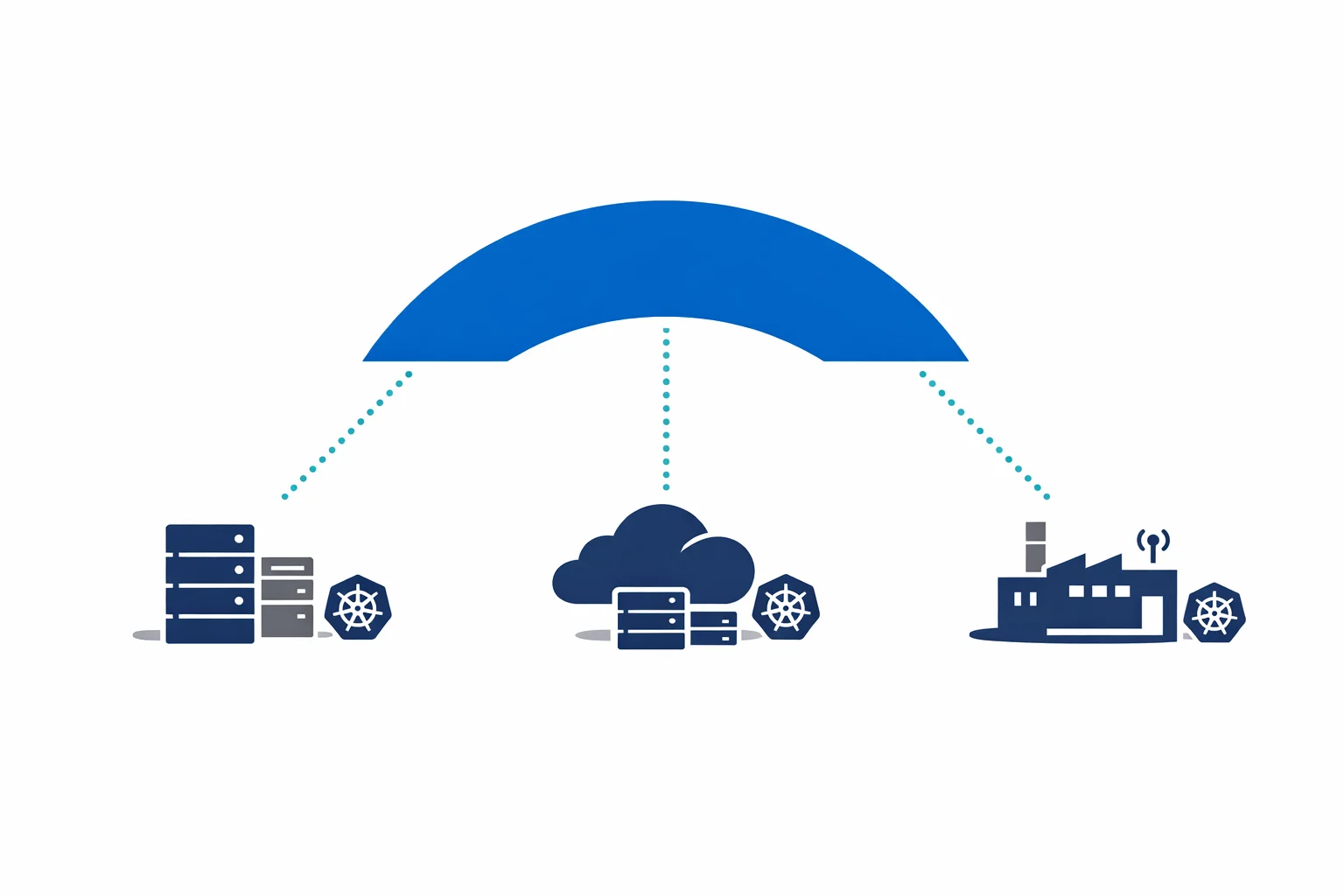
Azure Arc-enabled servers reached general availability at Ignite 2020. The idea is narrow and worth stating precisely: Arc projects non-Azure machines (physical servers, VMs running on-premises, instances in AWS or GCP) into Azure Resource Manager as first-class resources.
That projection is the whole mechanism. Once a server exists in ARM, everything that works against ARM works against that server. Tagging, RBAC, Policy, resource groups, the Activity Log. Your on-prem server becomes addressable in the same toolchain you already use for Azure.
What Azure Arc Does
At its core, Arc installs a lightweight agent on your server. That agent establishes an outbound connection to Azure and registers the machine as a resource in your chosen subscription and resource group. From that point on, the machine answers to the Azure control plane.
Azure Policy applies to it, using the same definitions you already run against Azure VMs, to enforce configuration and audit compliance. Azure Monitor collects its performance metrics, logs and dependency data into the same Log Analytics workspace as everything else. Defender for Cloud covers it for vulnerability assessment, security recommendations and threat detection, which puts on-premises and cloud servers under one security posture. Azure Update Manager patches it on the same schedules, with the same reporting, as your Azure VMs.
The consolidation is the point. One management plane replaces separate toolchains for on-premises, AWS and Azure.
Azure docs: Azure Arc-enabled servers overview · Supported cloud operations
Arc-Enabled Kubernetes
Servers are only half the story. Azure Arc also projects Kubernetes clusters into ARM, and it accepts any CNCF-conformant cluster: AKS on Azure, EKS on AWS, Rancher on bare metal, k3s on a Raspberry Pi.
Once a cluster is connected, GitOps configuration management keeps it converged on a desired state defined in a Git repository, through either Flux v2 or Argo CD. Changes are pull-based, auditable and versioned. Azure Policy for Kubernetes enforces pod security standards, resource limits and privileged-container rules through the same Gatekeeper-based definitions across every cluster. Cluster inventory and monitoring put health status, node counts and version information for all of them in the Azure portal.
This is particularly useful for organisations running Kubernetes in several environments. Rather than maintaining separate CI/CD pipelines and policy enforcement per cluster, you define configurations once and apply them everywhere through Arc.
Azure docs: Azure Arc-enabled Kubernetes · GitOps with Flux v2
Architecture Considerations
The Connected Machine Agent
The agent runs as a service on Windows and Linux, and its characteristics are what make it acceptable to a security team. It is outbound only: the agent initiates every connection to Azure, so no inbound ports need to be opened. All communication is TLS over HTTPS on port 443, which means it works wherever outbound web traffic is already allowed. It can route through an HTTP proxy, as enterprise environments with internet gateways normally require. Its CPU and memory consumption is low, because it is a management plane component and nothing more.
The agent sends a heartbeat every five minutes. If those stop arriving, the machine shows as Disconnected within 15 to 30 minutes, and a machine left disconnected for 45 days can move to Expired, at which point an administrator has to disconnect and reconnect it before Arc will manage it again.
The required endpoints are well documented. At a minimum, the agent needs to reach Azure Resource Manager, Microsoft Entra ID and the Arc service endpoints. In locked-down environments, Azure Arc Private Link Scope keeps the traffic on a private connection with no public internet required.
# Required outbound connectivity (simplified)
*.his.arc.azure.com        # Azure Arc service
*.guestconfiguration.azure.com  # Azure machine configuration
management.azure.com       # Azure Resource Manager
login.microsoftonline.com  # Microsoft Entra ID authentication
Network Planning
For large-scale deployments, plan your network carefully:
- If you have a proxy, test the agent installation through the proxy before committing to a rollout
- Private Link is available for environments that prohibit public internet connectivity
- The agent heartbeats every 5 minutes. Bandwidth consumption is negligible, but consistent
At-Scale Onboarding
You don’t want to install the agent manually on 500 servers. Use your existing configuration management tooling (Ansible, SCCM, Group Policy, Chef, Puppet) to deploy the Connected Machine agent and register machines with a service principal scoped to the onboarding role. Azure provides onboarding scripts that you can embed in your automation.
Azure docs: Connected Machine agent · Network requirements
Practical Use Cases
Compliance Reporting Across Hybrid Infrastructure
This is where Arc earns its keep. Apply Azure Policy across every server you run (Azure VMs, on-prem servers, and multi-cloud instances) and get a single compliance dashboard. “Are all servers running the required antivirus?” is no longer a question that requires querying three different tools.
Centralised Patching
Azure Update Manager through Arc lets you schedule patching windows, report on missing patches, and deploy updates to Windows and Linux servers regardless of location. One patching workflow, one reporting view, one set of maintenance windows.
Multi-Cloud Governance
Running workloads in AWS and Azure? Arc lets you apply consistent tagging, RBAC, and policy across both. Your governance team writes policies once. Those policies apply everywhere. Audit results appear in the same compliance reports.
Security Posture Unification
Onboard all servers to Defender for Cloud through Arc. You get a single Secure Score, unified vulnerability assessment, and consistent security recommendations. No more reconciling separate security tool outputs from each environment.
What Azure Arc Is Not
The boundaries are worth stating plainly. Arc does not migrate workloads: it manages your on-premises VMs where they are rather than moving them to Azure. Arc is also not a replacement for running Azure services locally, which is what Azure Local (called Azure Stack HCI when this article was written) does. The two solve different problems and can complement each other. And Arc is a control plane overlay rather than a runtime, so your workloads continue to execute exactly where they already execute.
If someone asks whether to use Arc or Azure Local, the answer depends on whether they want to run Azure services locally or manage existing infrastructure from Azure. Different questions, different answers.
Cost
The structure is simple and has held since 2020: projecting a resource into Azure costs nothing, and you pay for the capabilities you switch on. What changed is that several capabilities described above moved from free to charged, so the figures matter more than they did at GA. Prices below are list prices verified in October 2026.
| Capability | Cost |
|---|---|
| Arc-enabled servers, control plane (inventory, ARM projection, tagging, RBAC) | Free |
| Arc-enabled Kubernetes, connecting and organising clusters | Free |
| Azure machine configuration (in-guest audit and configuration) | $6 per server per month |
| Azure Update Manager on Arc-enabled servers | $5 per server per month, free on Azure VMs |
| Kubernetes configuration management (GitOps) | Charged per vCPU per month, first 6 vCPUs free per subscription |
| Defender for Cloud, Azure Monitor ingestion | Standard per-resource pricing |
Two of those deserve a note. Azure Policy is free at the ARM level, so auditing which resources exist and how they are configured in Azure costs nothing, but the in-guest audit that makes Arc interesting on a server is machine configuration, and that is the charged meter. Azure Update Manager is free on native Azure VMs and charged on Arc-enabled servers, and it is waived where Defender for Servers Plan 2 is enabled on the subscription, where the machine is receiving Extended Security Updates through Arc, or on Azure Local.
The strategy at GA still works. Onboard broadly for inventory and ARM-level governance at no cost, then switch on the charged capabilities where the value justifies the spend.
Azure docs: Azure Arc pricing · Azure Update Manager pricing · Defender for Servers plans
What Has Held Up Since 2020
The projection model. Install an agent, register with ARM, manage with the tools you already have. Six years on, that mechanism is unchanged, and everything Arc has added since (resource bridge, Arc-enabled SQL Server, Extended Security Updates) is built on top of it rather than replacing it.
What has moved is the price of the useful parts and the depth Arc can reach. The management plane is still free to join, which keeps the barrier to entry as low as Microsoft could make it, but the capabilities that turn a projected server into a governed one now appear on the invoice. Start with ten servers, prove the value, and expand from there, with the meters in view.
If your team already lives in the Azure portal, Arc puts the rest of your infrastructure in the same place. For what that is worth in practice today, and the places where the single pane of glass stops short, read Azure Arc in 2026 and Where It Stops.
Looking for Azure architecture guidance?
We design and build Azure foundations that scale: landing zones, networking, identity, and governance tailored to your organisation.