
Azure Front Door: What Happens Between the Edge and Your Origin
In this article
Rewritten October 2026: Published when Front Door reached general availability, arguing the case for collapsing Traffic Manager, Application Gateway, a CDN and a WAF into one service. That argument is settled, and the product it described is being withdrawn: Azure Front Door (classic) retires on 31 March 2027, stopped accepting new profiles in March 2025 and lost managed certificates in August 2025. What survived is the mechanical half of the article, so that is what this now is. Routing, probes, domains and caching have been re-checked against the Standard and Premium tiers, and the vocabulary moved from backends and backend pools to origins and origin groups. The tier choice, Private Link origins and the migration path are in Azure Front Door in 2026; the choice between Front Door, Application Gateway and API Management is in that comparison.
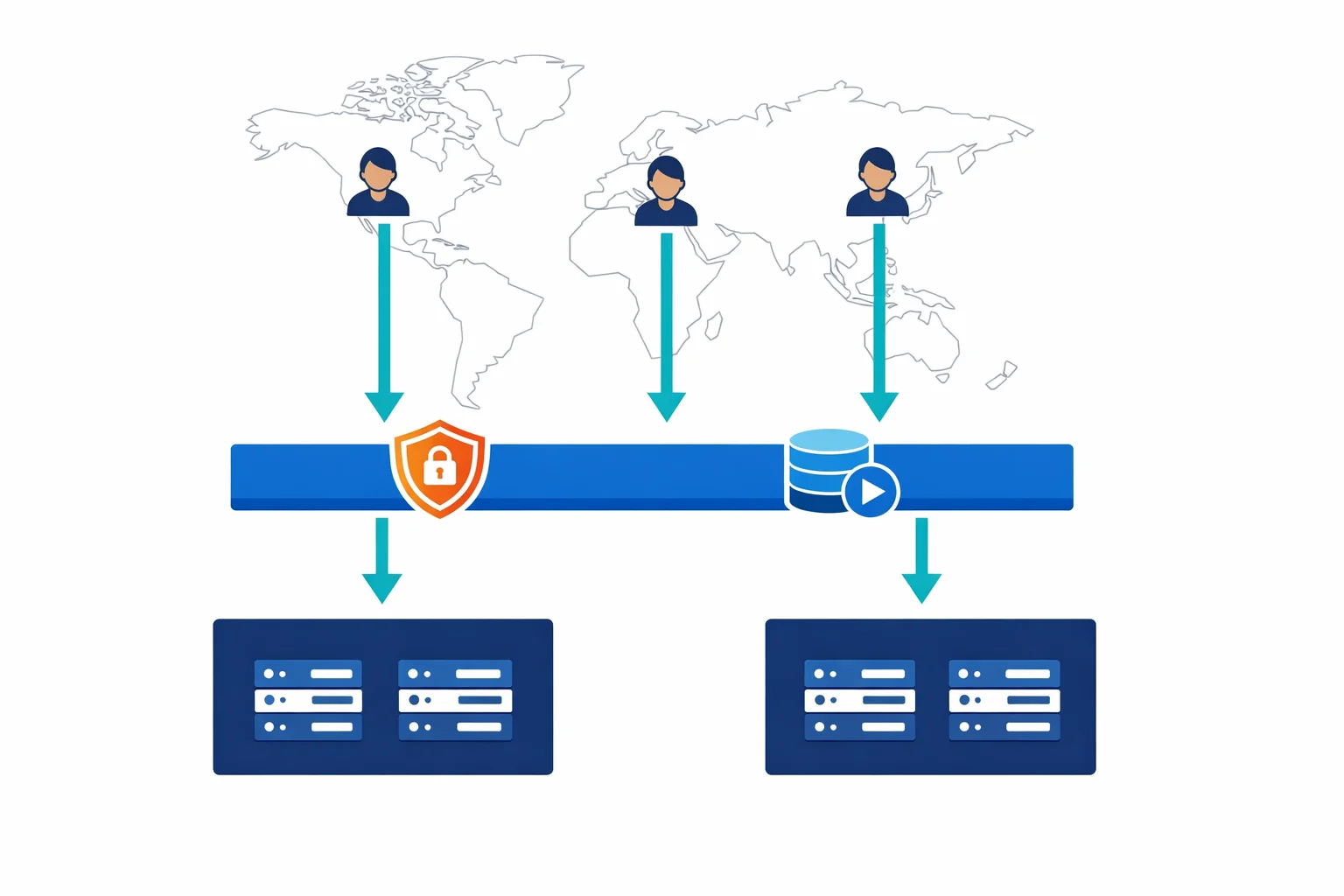
Front Door is a Layer 7 reverse proxy running on Microsoft’s edge network, currently 192 edge locations across 109 metro cities, two of them in Zaventem. A user never opens a connection to your origin. They open it to the nearest point of presence, and every decision that follows is made there.
Which makes the useful question about Front Door a mechanical one. What happens in that PoP, in what order, and which of those steps can surprise you in production.
The Sequence at the PoP
For a single request, in order: TLS terminates at the edge using either a Front Door managed certificate or one you supplied. The WAF policy runs, if your tier supports the rules attached to it. The route is matched on host and path. Front Door looks in that PoP’s cache. On a miss, it selects an origin from the origin group and fetches.
Four of those steps have behaviour that is worth knowing before you design around them.
Azure docs: Azure Front Door overview · Routing architecture
Origin Selection and the Probes Behind It
Each route uses one of three routing methods. Latency-based routing sends the request to the lowest-latency healthy origin and is the right default for most deployments. Priority routing gives active-passive failover, where the primary region takes everything until it fails health checks. Weighted routing splits traffic by percentage, which is how you do a gradual regional rollout.
All three depend on health probes, and the probe behaviour is where deployments get surprised.
Probe volume is the first thing people misjudge, usually in the alarming direction. Every edge location probes your origins, so at the default 30-second interval the rough estimate is the number of edge locations multiplied by two requests per minute. The number is lower in practice: where an edge location receives no real user traffic, its probe frequency drops below the configured value. An origin group that is only reached from Europe does not get probed as though it serves the world.
Two details keep that volume manageable. New profiles default to HEAD rather than GET, which Microsoft recommends for exactly this reason, and an origin that belongs to several origin groups is probed once at the lowest configured interval, with one set of responses deciding its health everywhere.
Health is not a single probe result. Front Door looks at the last n responses and treats the origin as healthy if at least x of them succeeded, where SampleSize sets n and SuccessfulSamplesRequired sets x in the load-balancing settings. Only a 200 OK counts as healthy; anything else, including a response that never arrives, is a failure. Latency is measured over a fresh TCP connection every time, so an origin that happens to have warm connections gets no advantage in the measurement.
Three consequences:
Give probes a dedicated path that checks the dependencies you care about and returns quickly. Your homepage is the wrong target. Keep the 30-second interval unless you have a reason; dropping to five seconds multiplies the load from every PoP that has traffic. Watch for redirects in the probe path, because Front Door follows them and each hop is included in the measured latency.
The failure mode worth rehearsing is total probe failure. If every origin in a group is unhealthy, Front Door does not stop serving. It round-robins across all of them on the assumption that the probes, rather than the application, are what broke. A probe path that depends on a database your application does not need for its cached pages will take a working site into round-robin during a database incident.
If an origin group holds a single origin, you can switch probes off entirely to spare it the load. Health metrics will look dipped and traffic is unaffected.
Azure docs: Health probes · Routing methods
WAF Inspection, and the Tier It Requires
Running WAF at the edge rather than per region is the strongest argument for putting Front Door in front of a multi-region application. Inspection happens at the PoP nearest the client, so blocked traffic never crosses the internet to reach your network, and one policy covers every region.
The part that has changed since 2019 is which tier buys which rules. Custom rules work on Standard and Premium. The Microsoft-managed Default Rule Set and the Bot Manager rule sets are Premium only, and classic is capped at DRS 1.1 and Bot Manager 1.0. If your WAF strategy is managed rules plus bot protection, the tier is decided for you.
The current managed rule set is DRS 2.2: 18 rule groups baselined on OWASP CRS 3.3.4, plus Microsoft Threat Intelligence groups covering SQL injection, cross-site scripting, web shells and known CVEs. It runs at Paranoia Level 1 by default, with PL2 rules shipped disabled.
WAF policy (Front Door Premium)
├── Custom rules, by priority
│   ├── Rate limit: threshold per socket IP, 1 or 5 minute window
│   ├── Geo-filter: block or challenge by country
│   └── Allow rule for monitoring sources  ← short-circuits everything below
├── Managed rules
│   ├── Microsoft_DefaultRuleSet 2.2  (PL1; PL2 disabled)
│   └── Microsoft_BotManagerRuleSet 1.1
└── Policy settings
    ├── Mode: Prevention
    └── Request body inspection: enabled
Two behaviours in that sketch catch people out.
Custom rules are evaluated before managed rules, and the first match ends evaluation. No further custom rule runs and the whole managed rule set is skipped. So the familiar allowlist entry for monitoring or scanner IPs does not merely bypass a noisy rule; it waves that source past the entire DRS. If that is what you intended, fine. It is frequently not.
From DRS 2.0 onward, prevention mode does not block on a single rule match. Each matching rule contributes to an anomaly score according to its severity, and the WAF acts once the request reaches a score of 5 or more. A request that trips one Warning-severity rule is logged and served. This is why a policy switched to prevention looks quieter than the detection logs suggested it would be, and why tuning by rule ID needs the score, not just the match.
Rate limiting has an edge-shaped caveat of its own. Counters live on the Front Door server handling the connection, and a client that opens a new TCP connection per request can reach a server whose counter has not caught up. Below roughly 200 requests per minute, expect some overshoot past the threshold. Larger windows with the smallest acceptable threshold enforce more accurately, and a client blocked early in a five-minute window stays blocked for the remaining four.
Azure docs: WAF on Front Door · DRS rule groups · Rate limiting
Domains and Certificates
Certificate management remains one of the better reasons to use Front Door, and the mechanics are different from the 2019 flow.
A Standard or Premium endpoint is named with a hash: contoso-frontend-mdjf2jfgjf82mnzx.z01.azurefd.net. The hash is not cosmetic. An endpoint hostname that cannot be guessed removes the dangling-CNAME takeover risk that came with predictable *.azurefd.net names, and Azure reinforces that from the other side by refusing to delete a Front Door domain or endpoint while a CNAME points at it.
Onboarding a domain is ownership validation followed by traffic cutover. Validation uses a TXT record at _dnsauth.<subdomain>, created for you if the zone is in Azure DNS and entered by hand if it is not. Once the state reads Approved, the CNAME from your domain to the endpoint is what starts serving traffic. If you bring your own certificate whose CN or SAN already matches the domain, ownership is approved from the certificate and the TXT record is not needed.
Managed certificates are issued, renewed and pushed to every edge location by Front Door, which is the behaviour classic lost in August 2025 and a concrete reason the retirement is not only a paperwork exercise. Provisioning across the edge takes a few minutes after HTTPS is enabled.
Apex domains still need an Azure DNS alias record, because a CNAME at the zone apex is not valid DNS. That constraint has not moved in seven years, and it remains a reason to host the zone in Azure DNS.
Azure docs: Add a custom domain · Domains in Front Door
Caching, With No CDN Left to Sit Beside It
Front Door caches at the PoP on standard HTTP cache headers, and you shape that per route through the rules engine. Cache duration either honours the origin’s headers or overrides them with a fixed TTL. Query strings can be cached in full, ignored, or keyed on named parameters. Responses are compressed with gzip or Brotli for supported MIME types when the client advertises them.
The 2019 version of this article closed the section by saying that if you needed richer caching you might still want Azure CDN Premium. That option no longer exists. Azure CDN from Edgio, previously Verizon, shut down on 15 January 2025, with profiles migrated to Front Door Standard. Azure CDN Standard from Microsoft (classic) stopped accepting new profiles in August 2025 and retires on 30 September 2027, and its migration target is also Front Door. On Azure, Front Door is the CDN.
Caching earns its place for static assets, for API responses that tolerate a short TTL, and for anything where an out-of-date answer is cheaper than an origin round trip. Turn it off on the routes serving per-user responses.
What the Bill Meters
The cost model has changed shape, and the per-rule charge the 2019 article warned about is gone.
There is a base fee per profile, billed hourly: 35 USD a month for Standard and 330 USD for Premium. Requests are charged per 10,000, at a slightly higher rate on Premium. Data transfer is metered in both directions at the edge, from edge to client in volume bands and from edge to origin at a lower per-GB rate that varies sharply by region. Transfer from an Azure origin into the Front Door edge is free, which is a real saving for Azure-hosted origins and the reason a Front Door bill for an Azure workload looks different from one fronting an on-premises origin.
Egress to clients is the line that grows. Every response byte leaves through Front Door’s outbound meter, so a high-traffic application with large payloads should model that before anything else.
Premium includes the WAF and Private Link at no extra charge, which narrows the gap the 330 USD base fee first suggests. Two newer meters sit outside the base: CAPTCHA at 0.40 USD per 1,000 sessions, and edge actions at 0.10 USD per million invocations plus execution time. The tier comparison, with the Private Link argument that usually settles it, is in the 2026 article.
Azure docs: Front Door pricing · Tier comparison
What Held Up
The 2019 claim was that one service at the edge would replace four, and that it would make multi-region architectures simpler. Seven years on, the consolidation went further than the article predicted: the CDN products beside it were retired into Front Door rather than kept as alternatives, and the version of the service described here is itself being replaced by the tiers that succeeded it.
The baseline configuration has aged better than the prose around it. Latency-based routing, a managed certificate on your custom domain, a WAF policy in prevention mode, and caching on the static routes is still where a new deployment should start. The two things to get right before that are the probe path, because round-robin on total probe failure is a failure mode you can cause yourself, and the rule order in the WAF policy, because an allow rule placed early is a hole through the whole rule set.
Looking for Azure architecture guidance?
We design and build Azure foundations that scale: landing zones, networking, identity, and governance tailored to your organisation.
More from the blog

The DNS Problems That Break Your Private Link Connectivity

Azure Front Door in 2026 and the Standard vs Premium Decision