
Why Every Azure Enterprise Needs a WAF Analysis Methodology
In this article
- The Problem With “Default WAF”
- What a WAF Analysis Methodology Looks Like
- Phase 1: Baseline and Inventory
- Phase 2: Log Analysis and Rule Profiling
- Phase 3: Tuning and Exclusion Engineering
- Phase 4: Validation and Promotion
- Phase 5: Ongoing Governance
- WAF Policy as Code
- What a WAF Assessment Produces
- Why This Matters Beyond Security
- Getting Started
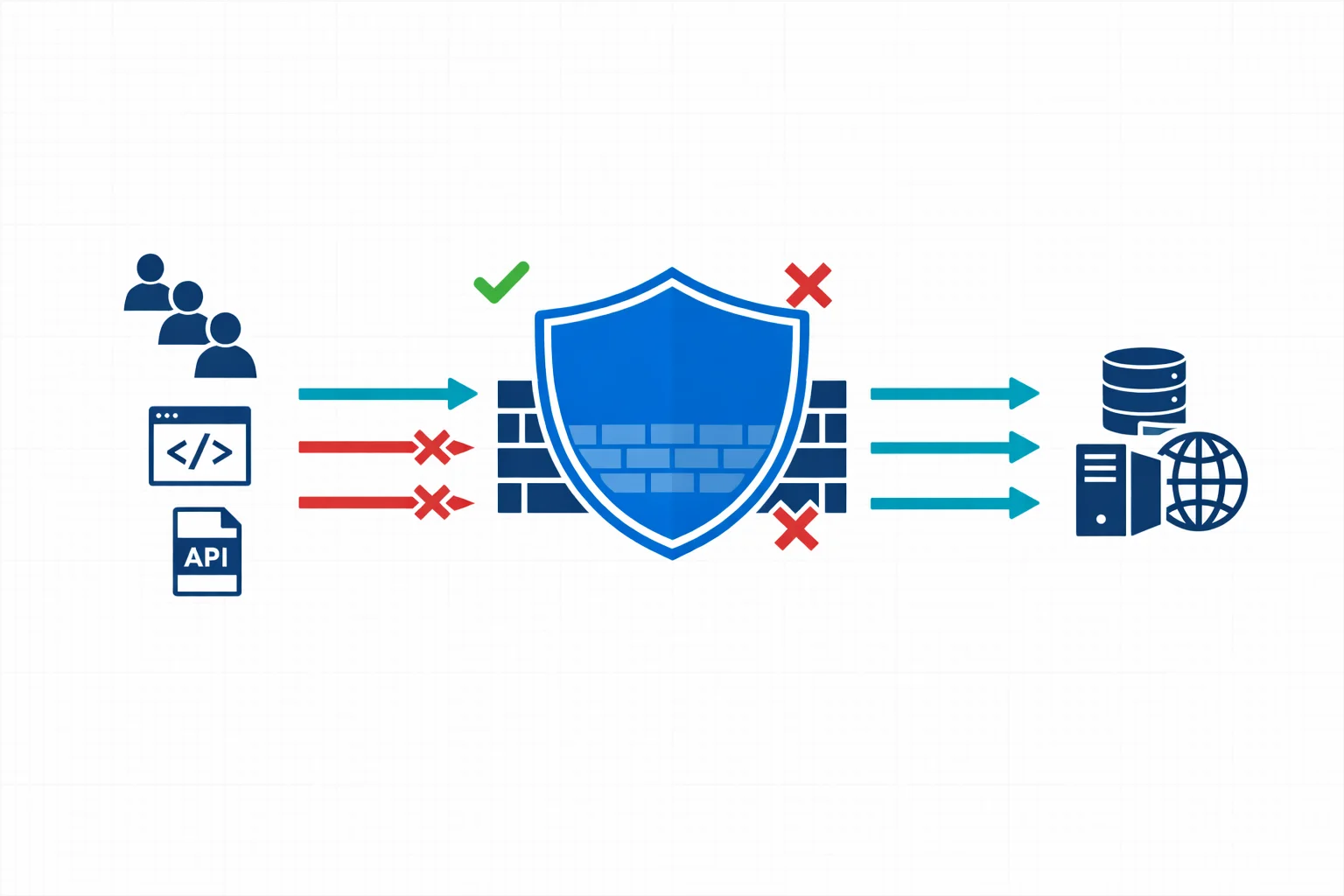
In short: Most Azure WAF deployments create noise instead of security because nobody tunes them. A five-phase methodology (baseline, log analysis, tuning, validation, governance) turns WAF from a checkbox into a maintainable security control. Start with your top 10 triggered rules and work outward.
If you run web applications on Azure, chances are you have a Web Application Firewall sitting in front of them. Azure WAF, whether deployed on Application Gateway or Front Door, is one of the most common security controls in enterprise Azure environments. It is also one of the most misunderstood.
Too many organisations treat WAF as a deploy-and-forget checkbox. The managed rule sets get enabled, detection mode runs for a week, and then someone switches to prevention mode. Six months later, the security team is drowning in alerts they can’t interpret and the application team is frustrated by false positives blocking legitimate traffic.
A structured WAF analysis methodology turns your firewall from a noisy gatekeeper into an actionable security layer.
The Problem With “Default WAF”
Azure WAF ships with OWASP Core Rule Set (CRS) managed rules that cover a broad range of attack patterns: SQL injection, cross-site scripting, remote code execution, and more. These rules are well-maintained and regularly updated by Microsoft.
But managed rules are generic by design. They protect against common attack vectors without knowing anything about your specific application. Two problems follow from that mismatch:
-
False positives that block legitimate requests. A CMS that accepts HTML input will trigger XSS rules. An API that receives Base64-encoded payloads will trip SQL injection detection. A form field containing angle brackets or SQL-like syntax will fire CRS rule 942130 (SQL injection detection via tautology). None of these are attacks. They are normal traffic patterns that happen to match broad signatures.
-
Alert fatigue that buries real threats. When your WAF generates thousands of detection-mode alerts per day, most of them benign, the security team stops looking. The one genuine injection attempt gets lost in the noise.
Both problems have the same root cause: the WAF isn’t tuned to your application, and nobody has a systematic process to fix that.
Azure docs: Azure WAF overview · CRS managed rule groups
What a WAF Analysis Methodology Looks Like
A proper methodology isn’t complicated, but it does require discipline. Five phases, each building on the previous.
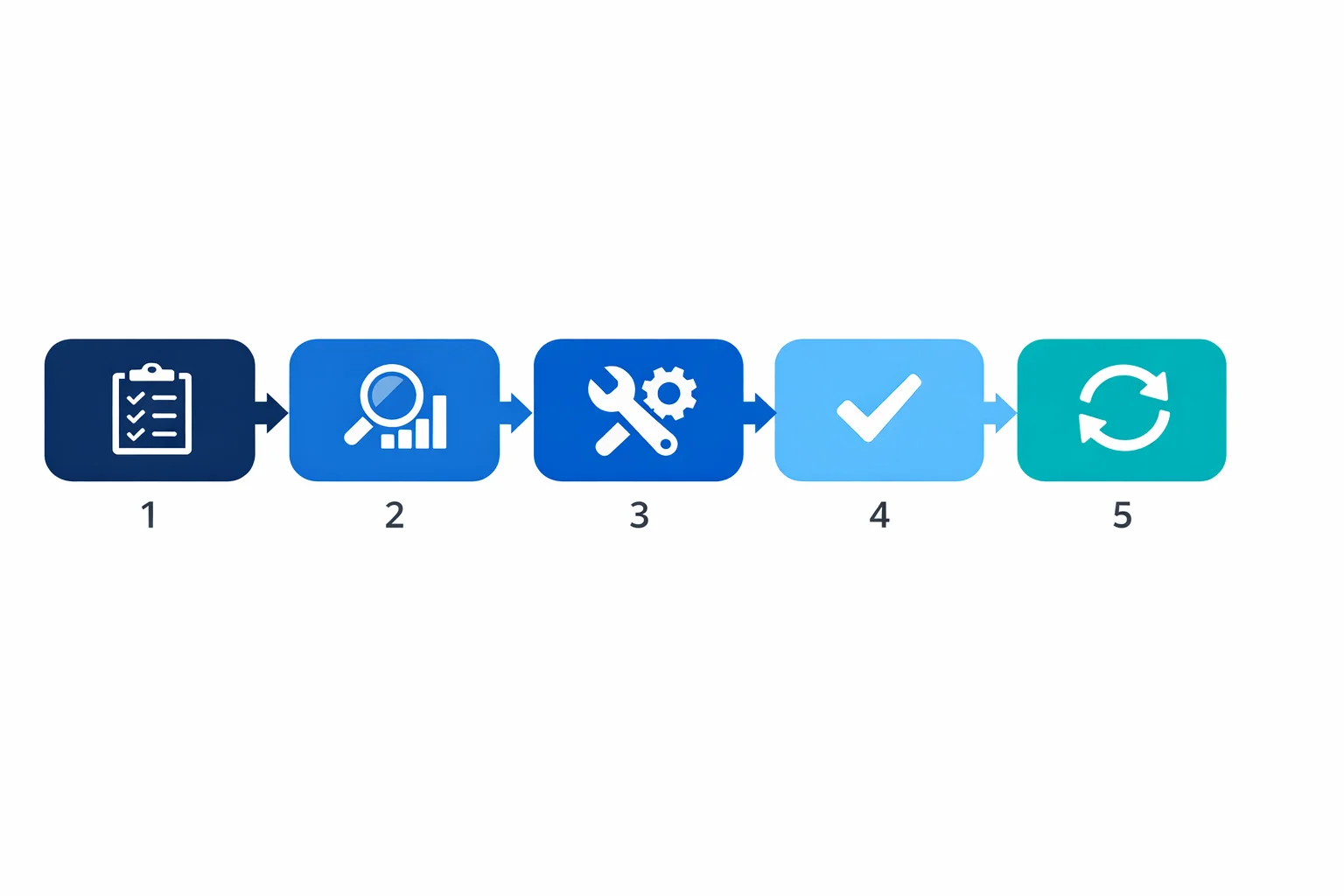
Phase 1: Baseline and Inventory
Before touching any rules, you need to understand what you are protecting:
- Applications behind the WAF, their technology stacks, expected traffic patterns, and data sensitivity levels
- Current WAF configuration: which policy is attached to which listener, what mode it runs in, which rule groups are enabled or disabled
- Which managed ruleset version each policy runs (CRS 3.2, DRS 2.1, DRS 2.2), because rule IDs, rule groups, and default paranoia level differ between versions and every later phase interprets rule IDs against that version
- Traffic volumes and patterns: peak hours, geographic distribution, API vs browser traffic ratios
This phase often reveals surprises. We regularly find WAF policies with dozens of per-rule exclusions that nobody can explain, or applications that were added to an Application Gateway months ago without updating the WAF policy.
Phase 2: Log Analysis and Rule Profiling
With the baseline in place, you move to the data. Azure WAF logs contain everything you need to understand how rules interact with your traffic. Whether in Log Analytics, a storage account, or streamed to Microsoft Sentinel.
The key is structured analysis rather than scrolling through log entries. For each triggered rule, you want to answer three questions. Is it a true positive (actual attack attempt), false positive (legitimate traffic incorrectly flagged), or noise (bots, scanners, irrelevant traffic that triggers rules but poses no real threat)? What is the frequency and pattern? And what is the source: internal users, external customers, known partners, or anonymous internet traffic?
A starting point for profiling your most-triggered rules:
AzureDiagnostics
| where Category == "ApplicationGatewayFirewallLog"
| where TimeGenerated > ago(7d)
| summarize
    HitCount = count(),
    DistinctSources = dcount(clientIp_s),
    SampleURIs = make_set(requestUri_s, 3)
  by ruleId_s, action_s, ruleGroup_s
| order by HitCount desc
| take 20
For deeper triage, drill into a specific rule. This query shows the actual request fields that trigger rule 942130 (SQL injection via tautology), which is one of the most common false positive sources:
AzureDiagnostics
| where Category == "ApplicationGatewayFirewallLog"
| where ruleId_s == "942130"
| where TimeGenerated > ago(7d)
| project TimeGenerated, clientIp_s, requestUri_s, details_data_s, details_msg_s
| take 50
If you see that /api/content submissions consistently trigger 942130 because users type content containing OR, SELECT, or HTML angle brackets, that’s a clear false positive candidate for a scoped exclusion.
For a worked example of this investigation on a single rule, from first blocked request to a governed exclusion, see Azure WAF Rule 931130: Remote File Inclusion False Positives, which follows rule 931130 firing on legitimate OIDC redirect URIs in production.
Azure docs: WAF log fields and categories · KQL reference
Phase 3: Tuning and Exclusion Engineering
Armed with data, you can make informed tuning decisions.
Targeted exclusions are the primary tool. The key word is targeted: exclude the minimum scope necessary. A per-rule exclusion on a specific request body field for a specific URI is far safer than disabling the rule entirely:
{
  "matchVariable": "RequestBodyPostArgNames",
  "selectorMatchOperator": "Equals",
  "selector": "content",
  "exclusionManagedRuleSets": [
    {
      "ruleSetType": "OWASP",
      "ruleSetVersion": "3.2",
      "ruleGroups": [
        {
          "ruleGroupName": "REQUEST-942-APPLICATION-ATTACK-SQLI",
          "rules": [{ "ruleId": "942130" }]
        }
      ]
    }
  ]
}
This exclusion says: “Don’t check the content POST field against SQL injection rule 942130.” It doesn’t disable 942130 for the rest of the application. It doesn’t skip all SQL injection rules. It’s the narrowest possible scope.
Custom rules handle what managed rules can’t. Common examples: rate limiting per IP on login endpoints, geo-blocking countries outside your service area, or allowing a partner IP range to bypass specific rule groups for an API integration.
Disabling rules entirely should be rare and always documented with a rationale. If rule 942130 fires legitimately on 15 different endpoints, the application probably needs input validation at the code level rather than a blanket WAF rule disable.
Every change should be documented with the triggering evidence. Six months from now, someone will ask why rule 942130 is excluded for /api/content. If the answer is “I don’t know, it was already like that,” you have a governance problem.
Azure docs: WAF exclusion lists · Custom WAF rules
Phase 4: Validation and Promotion
After tuning in detection mode, you validate the changes before promoting to prevention. This phase needs explicit exit criteria beyond “looks good”:
- No unexplained spikes in the top triggered rules compared to the pre-tuning baseline
- All new exclusions documented with a business owner who confirmed the traffic pattern is legitimate
- Representative test cases passed: known false positive scenarios no longer trigger, known attack patterns still do
- Rollback path defined: the previous policy version is saved and can be re-applied within minutes
- Post-promotion monitoring window agreed: typically 48-72 hours of heightened log review after switching to prevention
Promote to prevention mode once all exit criteria are met. Keep the previous policy version tagged in case rollback is needed.
Phase 5: Ongoing Governance
WAF analysis isn’t a one-time project. Applications change, new endpoints get deployed, Microsoft updates managed rule sets, and threat patterns evolve. A sustainable methodology includes a regular review cadence (monthly or quarterly log analysis), WAF policy reviews integrated into the application deployment pipeline, and tracking of false positive rates, rule coverage, and mean time to tune as operational KPIs.
Ruleset upgrades are now part of governance rather than an occasional event. Since early 2026 Azure WAF supports the latest three ruleset versions (N, N-1, N-2) under a rolling support lifecycle, with DRS 2.2 as the current recommended version, so every policy will migrate on a schedule. Treat the migration as its own mini-methodology:
- Identify the active ruleset version and inventory every exclusion, override, and disabled rule against it
- Move to DRS 2.2 in detection mode and compare triggered rules against your baseline
- Validate behaviour at Paranoia Level 1, which is the DRS 2.2 default
- Decide deliberately whether to enable and tune the Paranoia Level 2 rules, which ship disabled
- Remap superseded rule IDs and drop exclusions whose rules no longer exist, then restore prevention mode
Step 5 is where carried-over configuration bites: several CRS rule IDs have Microsoft replacements in DRS 2.2 and some, including 942130 used as the example in this article, have no direct equivalent at all. An exclusion referencing a removed rule ID does nothing except suggest protection that isn’t there.
WAF Policy as Code
Microsoft warns that when teams manually configure exclusions through the Azure portal, ruleset upgrades become time-consuming and error-prone. Exclusions often need to be re-validated when changing CRS versions, and portal-driven tuning leaves no audit trail beyond Azure Activity Log.
WAF policy, exclusions, and custom rules should live as code. Whether that’s Terraform, Bicep, or ARM templates, the policy definition belongs in source control with the same review and promotion workflow as any other infrastructure change.
For a new policy on the current recommended ruleset, DRS 2.2:
resource "azurerm_web_application_firewall_policy" "main" {
  name                = "waf-policy-app-prd"
  resource_group_name = azurerm_resource_group.rg.name
  location            = azurerm_resource_group.rg.location

  managed_rules {
    managed_rule_set {
      type    = "Microsoft_DefaultRuleSet"
      version = "2.2"
    }
    exclusion {
      match_variable          = "RequestBodyPostArgNames"
      selector                = "content"
      selector_match_operator = "Equals"
      managed_rule_set {
        type    = "Microsoft_DefaultRuleSet"
        version = "2.2"
        rule_group {
          rule_group_name = "SQLI"
          excluded_rules  = ["942100"]
        }
      }
    }
  }
}
Existing CRS 3.2 policies use the same structure with type = "OWASP", version = "3.2", and the CRS group names such as REQUEST-942-APPLICATION-ATTACK-SQLI. The rule IDs do not always carry across the versions, which is exactly why the exclusions belong in code.
This way, every exclusion has a PR, a reviewer, a commit message explaining the rationale, and a history. When the ruleset lifecycle forces the next version migration, you review each exclusion in your Terraform code and decide whether it still applies. That is a very different workflow from clicking through the portal and hoping for the best.
What a WAF Assessment Produces
For teams that want to run this methodology as a structured engagement, the output is a set of concrete deliverables:
- Application-to-policy mapping showing which apps are behind which WAF policy and in what mode
- Top triggered rules ranked by volume and business impact
- True positive, false positive, and noise classification for each high-volume rule
- Proposed per-rule exclusions with evidence and rationale
- Custom rule recommendations for application-specific patterns
- Prevention-readiness decision with documented exit criteria
- Governance backlog: rule ownership, review cadence, and integration points with the deployment pipeline
This is what turns a WAF from “the security team’s problem” into a governed, maintainable security control.
Why This Matters Beyond Security
A well-tuned WAF gives you operational confidence. Application teams trust the WAF instead of fighting it. Security teams can focus on genuine threats instead of triaging noise. Compliance auditors see documented, justified controls instead of default configurations with unexplained exceptions.
WAF tuning is not only a security exercise. It is also a platform engineering discipline: the policy model, exclusions, logging, and promotion path need to be repeatable, reviewable, and integrated into delivery workflows. That is where security and DevOps meet.
For organisations operating under NIS2 or DORA, a documented WAF methodology supports the requirement for “appropriate and proportionate” technical measures. NIS2 doesn’t name WAF specifically, but it does require that organisations demonstrate active management of their security controls, including documentation, review cadence, and continuous improvement. A WAF assessment with documented findings, justified exclusions, and a governance model is exactly the kind of evidence that demonstrates compliance intent. The same holds outside Europe: a regulated team facing a MAS-style technology-risk review in Singapore is asked the same thing in different words, and a justified, owned exclusion answers it better than a default ruleset nobody can explain.
Azure docs: WAF best practices · Microsoft Sentinel overview
Getting Started
You don’t need to build this methodology from scratch. Start with what you have:
- Export your current WAF logs from Log Analytics. Even a week of data gives you a starting point
- Identify the top 10 most frequently triggered rules. For each one, determine whether it is a true positive, false positive, or noise
- Document your current WAF configuration. Which rules are enabled? Which are excluded? Does anyone know why?
- Pick the highest-volume false positive and engineer a scoped exclusion for it. Put that exclusion in code rather than the portal
- Establish a review cadence. Even monthly reviews are a massive improvement over deploy-and-forget
Typical outcomes from adopting a structured approach: a sharp reduction in repetitive false positives, clearer ownership of exclusions, faster promotion to prevention mode, and WAF policies that the team actually understands and can maintain.
Typical engagement: A WAF and security assessment starts with a 7-day log analysis to profile your top triggered rules, classify true positives from false positives, and engineer scoped exclusions. The deliverable is a documented, governance-ready WAF policy with evidence for each tuning decision. Most assessments take 2-4 weeks including validation.
Ruleset versions, upgrade workflow, and Terraform examples updated on 2 August 2026.
Related: Cloud Security Is a Board Problem Now covers the broader NIS2 and DORA context for Azure security controls.
Need help with your Azure security posture?
We help enterprises design and tune Azure security controls: WAF policies, Sentinel ingestion, Defender for Cloud, identity governance, and NIS2/DORA readiness.
More from the blog

Azure WAF False Positives and the Rules That Break Legitimate Traffic